How to Overcome Screenwriter’s Block with Five AI Exercises
Use AI to reduce the size of the next writing decision: generate possible openings, explore opposing viewpoints, divide a large task, brainstorm a scene, or.
By My Logline Editorial
Use AI to reduce the size of the next writing decision: generate possible openings, explore opposing viewpoints, divide a large task, brainstorm a scene, or suggest a continuation. Choose and revise the output yourself. These five exercises support momentum when perfectionism, uncertainty, fear of judgment, or overwhelm makes starting difficult.
Key takeaways
- Identify the specific decision blocking progress.
- Ask for a few options or one small next task.
- Choose deliberately and return to writing the draft.
What should you know about you Are Not Broken — You Are Blocked?
Every writer has been there. You sit down to write, the cursor blinks at you, and... nothing. Your mind goes blank. The words just will not come.
Here is the truth: writer's block is not a sign that you are bad at writing. It is a signal that something is getting in the way — fear, overthinking, lack of direction, or simply not knowing where to start.
The good news? AI can help you push past all of that. Not by writing for you, but by giving you the spark you need to get going.
What can cause screenwriter’s block?
Before we talk about AI fixes, it helps to know what you are fighting. Writer's block usually comes from one of these four places:

- Perfectionism — You want the first draft to be perfect, so you don't start at all.
- Lack of clarity — You do not know what you want to say or who you are saying it to.
- Fear of judgment — You are worried about what others will think of your work.
- Overwhelm — The project feels too big and you don't know where to begin.
AI does not judge you. It does not care if your first idea is rough. And it never runs out of patience. That alone makes it a powerful tool for any writer.
Which five AI exercises can help you restart?
How do you use AI to Generate a Starting Point?
For a film idea, give that starting point a specific destination. Use How to Turn a Story Idea into a Complete Movie Outline to explore an opening, an inciting incident, and a possible ending, then choose the version that fits the story you want to tell.
The hardest part of writing is often just getting something — anything — on the page. AI is brilliant at this. Give it a topic and ask for a rough outline or a first paragraph. You don't have to use it word for word. Just having something to react to can unlock your own thinking.
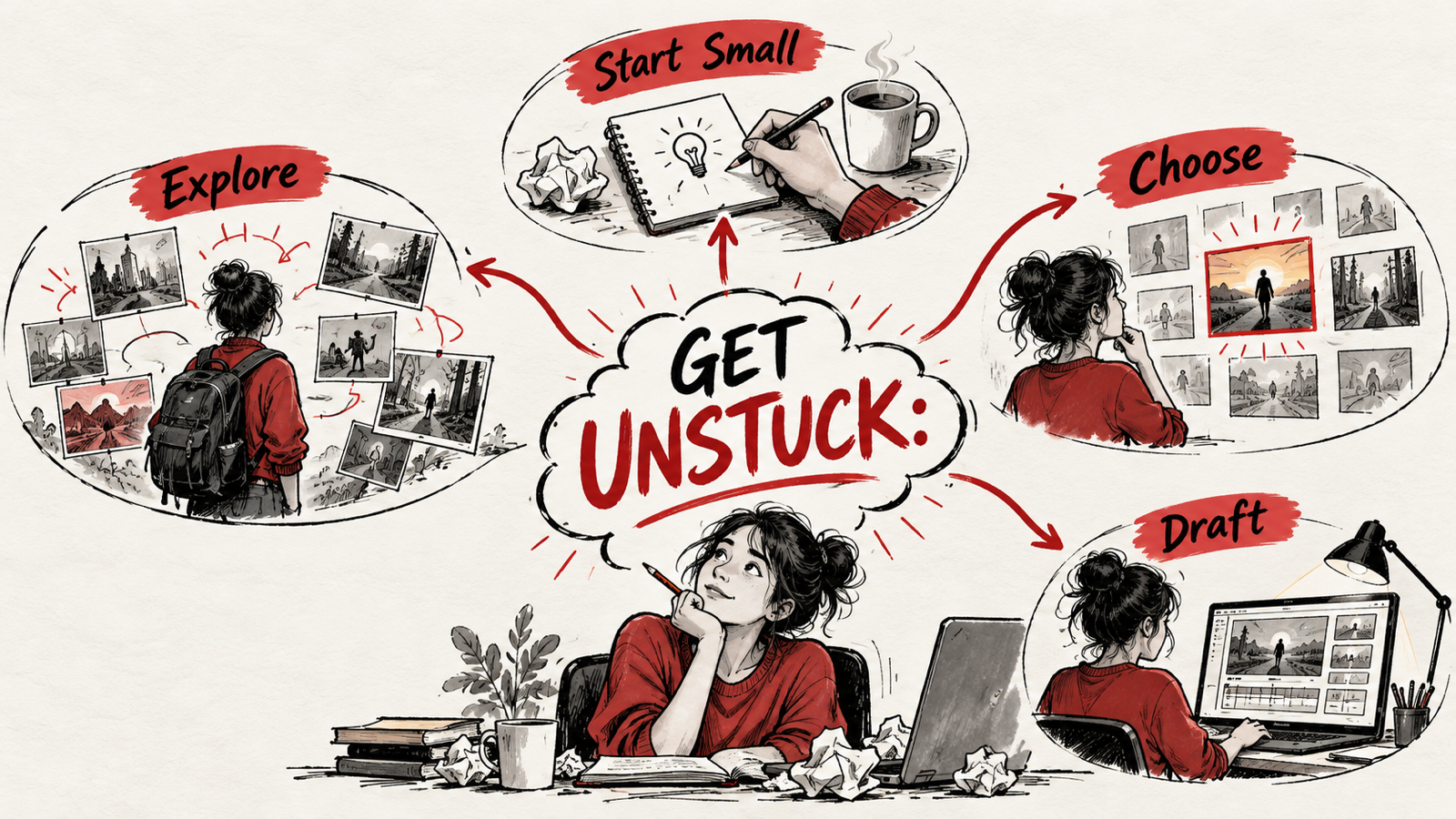
Try this prompt: "Give me 5 different ways I could open an article about [your topic]." Pick the one that feels right, or let it inspire something better from you.
What should you know about ask AI to Play Devil's Advocate?
If you are not sure what angle to take, ask AI to give you multiple perspectives on your topic. This is especially useful for opinion pieces, blogs, or persuasive writing. Seeing different viewpoints can help you figure out what YOU actually think.
How do you use AI to Break Big Projects Into Tiny Steps?
If the project is a screenplay, A 14-Day Screenplay Drafting Plan: From Idea to Revision gives you a sequence of smaller tasks. Choose one day’s minimum outcome and work toward that before worrying about the whole film.
Feeling overwhelmed? Tell AI: "I need to write a 2000-word article about X. Break it down into 8 small sections I can tackle one at a time."
Suddenly, it is not one big scary project. It is eight small, manageable tasks. That shift in perspective can make all the difference.
How do you let AI Be Your Brainstorming Partner?
Stuck for ideas? Just start talking to AI like it is a friend. Throw out half-formed thoughts and let it help you shape them. It is like thinking out loud, but AI actually responds.

This works especially well when you are writing on a topic you know well but can not seem to articulate clearly. AI can help you put your thoughts into words.
How do you use AI to Get Unstuck Mid-Draft?
When the next scene feels flat, revisit How to Improve Film Storytelling: 15 Practical Techniques. Ask who wants what, what blocks them, and what changes by the end; those questions give your brainstorming a useful direction.
You start writing, get two paragraphs in, and then... nothing. Paste what you have written into AI and say: "I'm stuck. What would logically come next?" or "How could I transition from this into talking about X?"
AI gives you options. You pick what feels right and keep going.
Frequently asked questions
What should I ask AI when I cannot start a scene?
Describe the protagonist’s goal, the obstacle, and the scene’s intended change. Ask for three possible openings with different actions, then choose or rewrite the one that suits your film.
Should I accept an AI continuation unchanged?
Treat it as an option to evaluate. Check character voice, continuity, motivation, and the scene’s purpose before adapting it into your own draft.
Summary
Identify the specific decision blocking progress. Ask for a few options or one small next task. Choose deliberately and return to writing the draft.
Use My Logline to write your film.